Apple’s AirPlay has redefined how devices share content by seamlessly streaming audio and video over Wi-Fi. Whether you’re watching your favorite shows or presenting a slideshow, AirPlay connects Apple devices to smart TVs and speakers, offering crisp, high-quality playback without cables.
Subscribe
Best for Streaming
Software Reviews
AirPlay 101: Everything you need to know

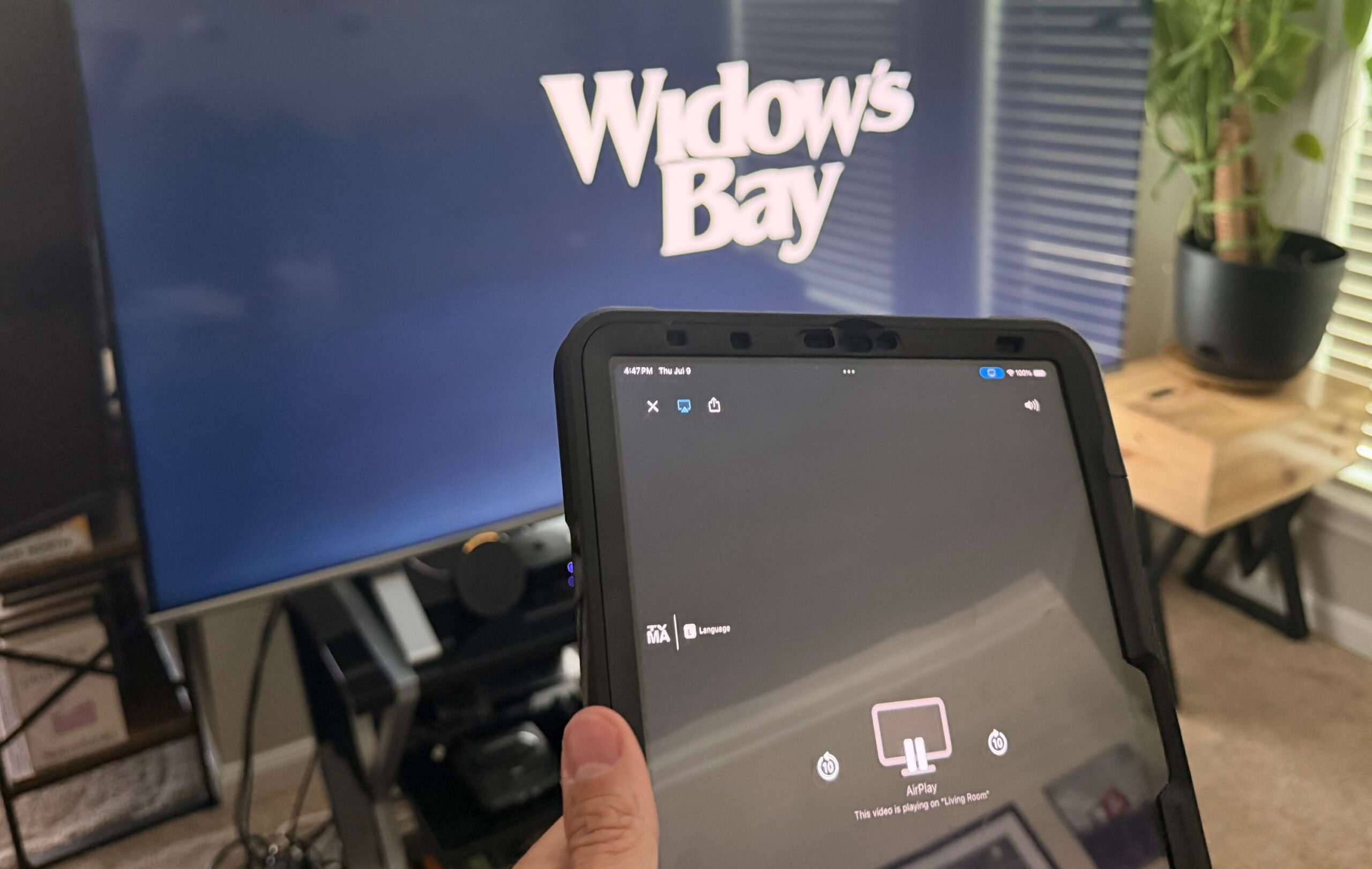
Photo by The Streamable
Key Takeaways:
- Apple’s AirPlay sends high-resolution audio and video wirelessly over Wi-Fi
- Users can stream from iPhones, iPads, Macs, or Apple Watch
- Many non-Apple TV and speaker brands now support AirPlay
- Mirroring your device is possible with just a few taps or clicks
- Common connectivity issues can often be fixed by checking Wi-Fi networks and software updates
What Is AirPlay?
AirPlay is Apple’s wireless protocol that connects iPhones, iPads, and Macs to compatible receiving devices, letting you share audio, videos, photos, and even your phone or computer screen. Think of it as a wireless HDMI cable—no mess, no tangled connections, and enough bandwidth to keep your stream crisp and clear.
How AirPlay Works
Because AirPlay transmits over Wi-Fi, it can handle large amounts of data. This means you can enjoy ultra-high-definition 4K video and lossless audio when using AirPlay 2-compatible devices, all while still using your smartphone or tablet for games, texts, or calls without any interruption to the stream.
Compatible Devices
AirPlay works not just with Apple’s own hardware, like Apple TV 4K and HomePod speakers, but also with a host of TVs and speakers from other manufacturers. Look for an AirPlay badge on compatible devices or check the product’s specifications. Here’s a partial list:
| Brand | Models Supporting AirPlay |
|---|---|
| Samsung | QLED, Crystal UHD, Frame, Serif, Sero |
| LG | OLED TVs |
| Sony | Bravia TVs |
| Roku | Roku TVs and streaming players |
| Amazon | Fire TVs |
| Hisense | Many newer models |
| Philips | Google TVs |
| TCL | Google TVs |
| VIZIO | SmartCast TVs |
| Sonos | Select speakers and soundbars |
Using AirPlay on Your Devices
• Streaming Video:
- Ensure both your Apple device and receiving TV or player are on the same Wi-Fi network.
- Open the app where your video is stored or streaming from.
- Tap the AirPlay icon (a rectangle with a triangle below) and choose your available device.
- If you see a four-digit code on your TV screen, enter it on your Apple device.
• Streaming Audio:
- Begin playing a song or podcast.
- Access the Control Center on iPhone or iPad (swipe down from the top-right corner).
- Tap the AirPlay icon and pick your preferred speaker or TV.
• Screen Mirroring:
- On an iPhone or iPad, go to Control Center and tap “Screen Mirroring.”
- Select your compatible TV or streaming player.
- End mirroring any time by revisiting Control Center to “Stop Mirroring.”
Benefits of AirPlay
When using AirPlay, expect high-quality video and clear audio with minimal buffering. AirPlay 2 extends this functionality by enabling multi-room audio, meaning you can synchronize various speakers (even from different brands) across your home. Best of all, no extra app is required—AirPlay is built right into modern Apple devices and many smart TVs.
Frequently Asked Questions
• Can I Use AirPlay While Traveling?
Yes, if your destination’s TV supports AirPlay and the local Wi-Fi allows device-to-device communication, you can stream your usual shows or music on the go.
• Is AirPlay Similar to Google Cast?
They’re both wireless streaming technologies using Wi-Fi. However, AirPlay sends content directly from your device, while Google Cast often tells the TV to fetch the stream from the internet. AirPlay is more tightly integrated with Apple’s ecosystem, while Google Cast works best with Android and Google TV.
Troubleshooting Common Issues
When AirPlay fails to connect, often the culprit is a mismatched network or device software issues. Ensure all devices share the same Wi-Fi and have the latest software updates. If necessary, reboot your Apple device, the TV, and your Wi-Fi router to refresh connections. Also confirm that AirPlay settings are enabled on your TV.
Apple TV and Warranty Details
Apple TV serves as a dedicated streaming device compatible with AirPlay, giving users a straightforward way to watch live and on-demand services. While Apple TV doesn’t come with an all-inclusive warranty by default, The Streamable has partnered with 5Devices to offer protection plans starting at around $2.67 per month, which can cover many internet-connected gadgets—even older ones.
End your search for easy wireless streaming: AirPlay locks your Apple ecosystem together in a neat, nimble package. Enjoy watching, listening, and sharing your favorite content with minimal fuss and maximum quality.