When achieving shallow depth of field isn’t possible during a shoot, Lightroom Classic’s Lens Blur tool offers a sophisticated solution to add natural-looking background blur during editing. Photographer Gareth Evans demonstrates how this feature can bring professional-grade depth to your images.
Subscribe
Software Reviews
How to Add Natural Blur to Photos in Lightroom Classic

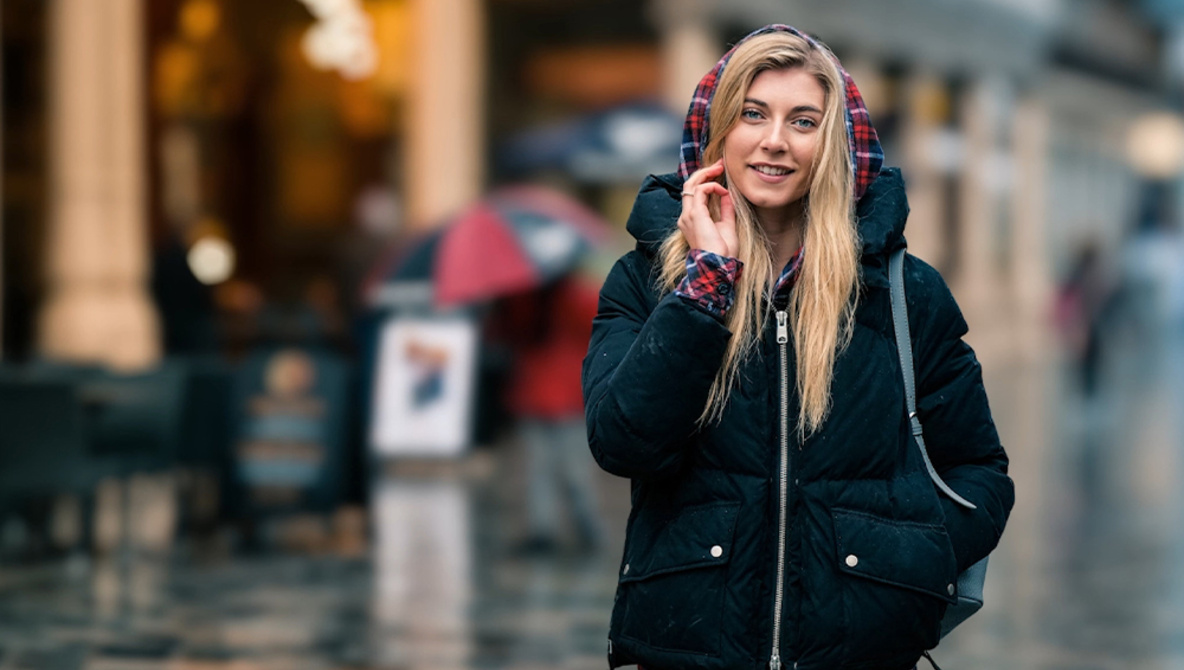
Photo by Fstoppers
Key Takeaways:
- Lightroom’s Lens Blur tool simulates shallow depth of field during editing.
- Depth mapping allows for selective blur based on distance in the image.
- Best results occur with images that already have some subject-background separation.
- Overuse of the blur effect can result in unnatural-looking images.
- Manual adjustments help refine the effect when automatic detection isn’t perfect.
Bringing Depth to Your Images with Lightroom’s Lens Blur Tool
Shallow depth of field is a hallmark of professional photography, often used to create striking portraits where the subject stands out against a softly blurred background. But what happens when shooting conditions or equipment limitations prevent you from achieving that effect in-camera? Enter Lightroom Classic’s Lens Blur tool—a powerful feature that allows photographers to add natural-looking blur during the editing process.
Understanding Depth Mapping in Lightroom
In a recent tutorial, photographer Gareth Evans delves into how Lightroom’s Lens Blur tool utilizes depth mapping technology to analyze the distance between elements in an image. “The tool uses depth mapping to analyze the distance between elements in an image and applies a blur effect accordingly,” Evans explains. This means Lightroom can assess your photo and determine which areas should be in focus and which can be softened, based on their relative distance in the scene.
Automatic Subject Identification
One of the standout features of the Lens Blur tool is its ability to automatically identify the subject. Lightroom creates a depth map, representing varying distances with a spectrum of colors—objects closest to the camera might appear yellow, transitioning to purple as they recede. This automated process streamlines editing, allowing for efficient application of the blur effect without meticulous manual selections.
Best Practices for Natural-Looking Blur
While the Lens Blur tool is powerful, Evans emphasizes the importance of using it judiciously. Images that already possess some degree of depth tend to yield the most natural results when additional blur is applied. “Applying the effect to a wide-angle shot with no initial depth can feel forced or artificial,” he cautions. The key is to enhance the existing separation between your subject and the background, not to create it from scratch.
Fine-Tuning with Manual Adjustments
Despite its sophisticated automation, the tool isn’t infallible. Evans highlights the utility of manual adjustments to refine the blur effect. Using brushes to tweak the depth map can correct mistakes where the automated tool might struggle, especially in complex scenes. Additionally, the intensity slider offers control over the strength of the blur. “Overdoing it can make the image look unnatural,” Evans warns, advising photographers to apply the effect subtly for the best results.
Understanding the Tool’s Limitations
The Lens Blur tool shines in certain contexts but may falter in others. For instance, images with clear subject-background separation benefit the most. Evans provides examples where the tool enhances portraits effectively, versus scenarios where a lack of initial depth makes the added blur seem out of place. Recognizing these limitations is crucial for photographers aiming to maintain authenticity in their edits.
Conclusion: Enhancing, Not Replacing, In-Camera Techniques
Lightroom’s Lens Blur tool offers photographers a valuable option for enhancing images when shooting conditions aren’t ideal. By understanding how to leverage depth mapping and applying blur thoughtfully, you can achieve a professional look even in post-processing. However, it’s important to remember that this tool is best used to enhance, not replace, the depth achieved through in-camera techniques.
Alex Cooke is a Cleveland-based portrait, events, and landscape photographer. He holds an M.S. in Applied Mathematics and a doctorate in Music Composition. He is also an avid equestrian.